Best JavaScript scheduler components for large datasets

When choosing a scheduler for large datasets, the hard problem is not displaying one event. The hard problem is keeping scrolling usable when the schedule has hundreds of resources and thousands of visible events. DOM-based schedulers rely on virtual scrolling, while canvas-based schedulers avoid DOM nodes for events entirely.
This article compares five JavaScript scheduler components for large datasets using the criteria below. For a broader comparison without the large-dataset focus, see our best JavaScript scheduler components article.
- Rendering model.
- Virtual scrolling or canvas rendering.
- Multi-resource scheduling.
- Package access and framework support.
- When Bryntum Scheduler is the strongest DOM-based option.
Bryntum Scheduler
Bryntum Scheduler is a high-performance DOM-based scheduler with virtual scrolling on both the horizontal and vertical axes. It is built with TypeScript and ships framework wrappers for React, Angular, and Vue, as well as a plain JavaScript API. The Bryntum Scheduler quick start covers package installation and framework quick starts.
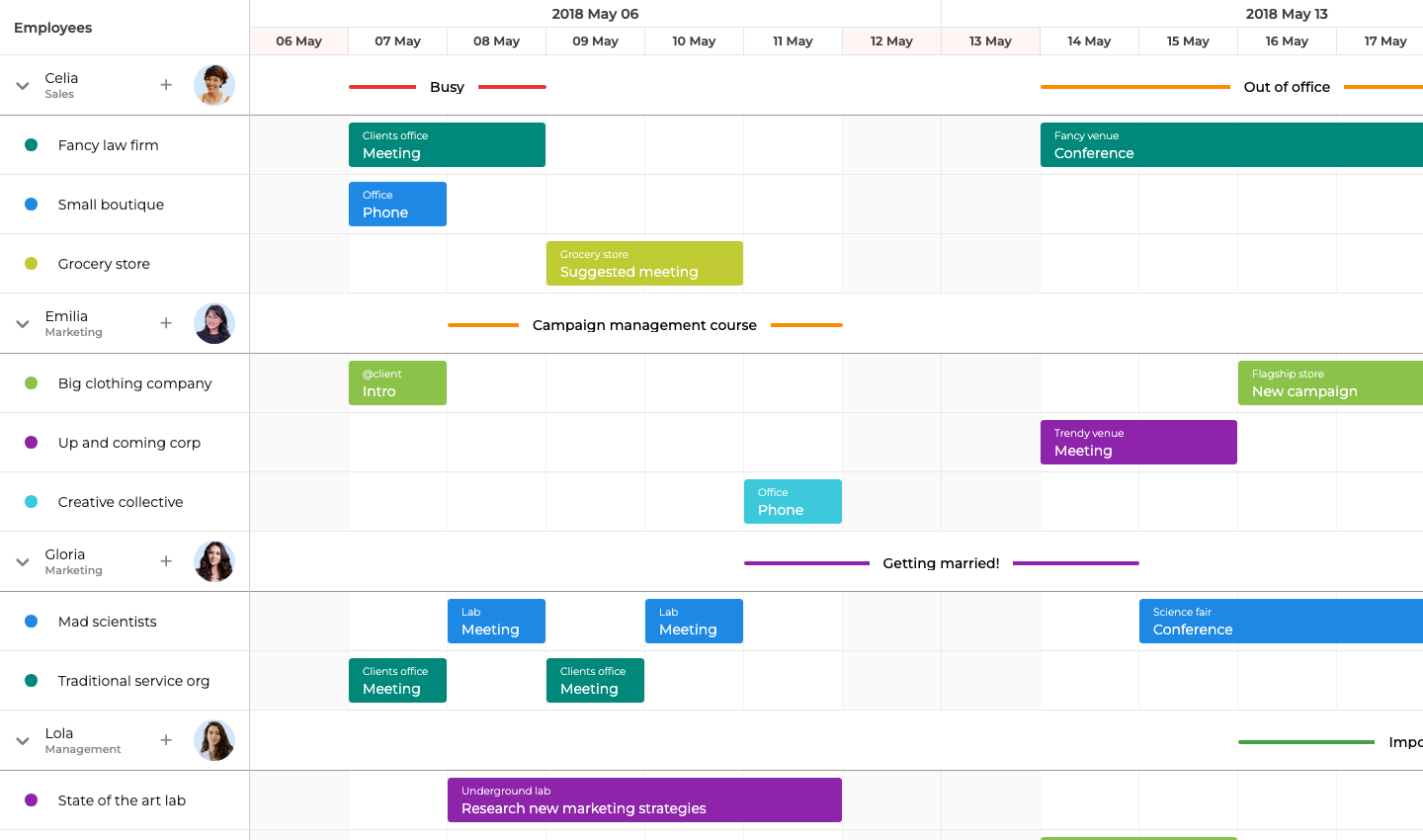
Bryntum Scheduler setup for large datasets
Bryntum Scheduler is available on npm as a trial package. Install it with:
npm install @bryntum/scheduler@npm:@bryntum/scheduler-trial@7.3.0
Add the container element to the HTML file:
<style>
  html, body { margin: 0; height: 100%; }
  #container { height: 100vh; }
</style>
<div id="container"></div>
Import the CSS files before the component module. The order matters: Font Awesome base styles must come before the icon subset, and the theme file must come after the core scheduler stylesheet so that theme variables override the defaults correctly.
import '@bryntum/scheduler/fontawesome/css/fontawesome.css';
import '@bryntum/scheduler/fontawesome/css/solid.css';
import '@bryntum/scheduler/scheduler.css';
import '@bryntum/scheduler/svalbard-light.css';

import { Scheduler } from '@bryntum/scheduler';

// 100 resources, 5 000 events
const resources = Array.from({ length : 100 }, (_, i) => ({ id : i + 1, name : `Resource ${i + 1}` }));
const events    = Array.from({ length : 5000 }, (_, i) => ({
    id         : i + 1,
    resourceId : (i % 100) + 1,
    name       : `Event ${i + 1}`,
    startDate  : new Date(2026, 0, (Math.floor(i / 100) % 28) + 1, 9),
    endDate    : new Date(2026, 0, (Math.floor(i / 100) % 28) + 1, 10)
}));

const scheduler = new Scheduler({
    appendTo   : 'container',
    startDate  : new Date(2026, 0, 1),
    endDate    : new Date(2026, 1, 1),
    viewPreset : 'weekAndDay',
    columns    : [{ text : 'Name', field : 'name', width : 130 }],
    resources,
    events
});
Bryntum Scheduler handles large DOM schedules with virtual scrolling
Bryntum Scheduler applies virtual scrolling on both axes, meaning only the rows and columns currently in the viewport are present in the DOM. As the user scrolls, rows outside the viewport are removed and new ones are added, keeping the total DOM node count stable regardless of total dataset size.
Event batching groups multiple data mutations into a single render pass, which prevents intermediate repaints during programmatic updates. For large remote datasets, the CrudManager handles server communication and supports lazy loading, so only the data needed for the current view range is fetched at a time. Row height and event overlap layout are both configurable, allowing the DOM density per row to be tuned for the specific dataset shape.
Bryntum Scheduler starts with the Small Team license
Bryntum Scheduler costs $680 per developer for the Small Team license, with a three-developer minimum and 12 months of updates. A free trial is available through the npm trial package shown above.
Bryntum Scheduler keeps large schedules in the DOM
Bryntum Scheduler stands out for the following reasons.
- Virtual scrolling on both the vertical and horizontal axes keeps DOM node count bounded regardless of total event volume.
- Framework wrappers for React, Angular, and Vue are included in the same package.
- CrudManager handles lazy loading from REST or custom backends.
Bryntum Scheduler still hits limits at extreme event density
Two limitations matter during evaluation.
- The per-developer license cost is higher than several alternatives.
- Very large simultaneous event counts (tens of thousands visible at once) still reach DOM performance limits that only a canvas-based renderer can avoid.
DHTMLX Scheduler
DHTMLX Scheduler has a long history in enterprise web applications. It provides several built-in views including day, week, month, and timeline. Multi-resource scheduling in a timeline layout requires the PRO edition.
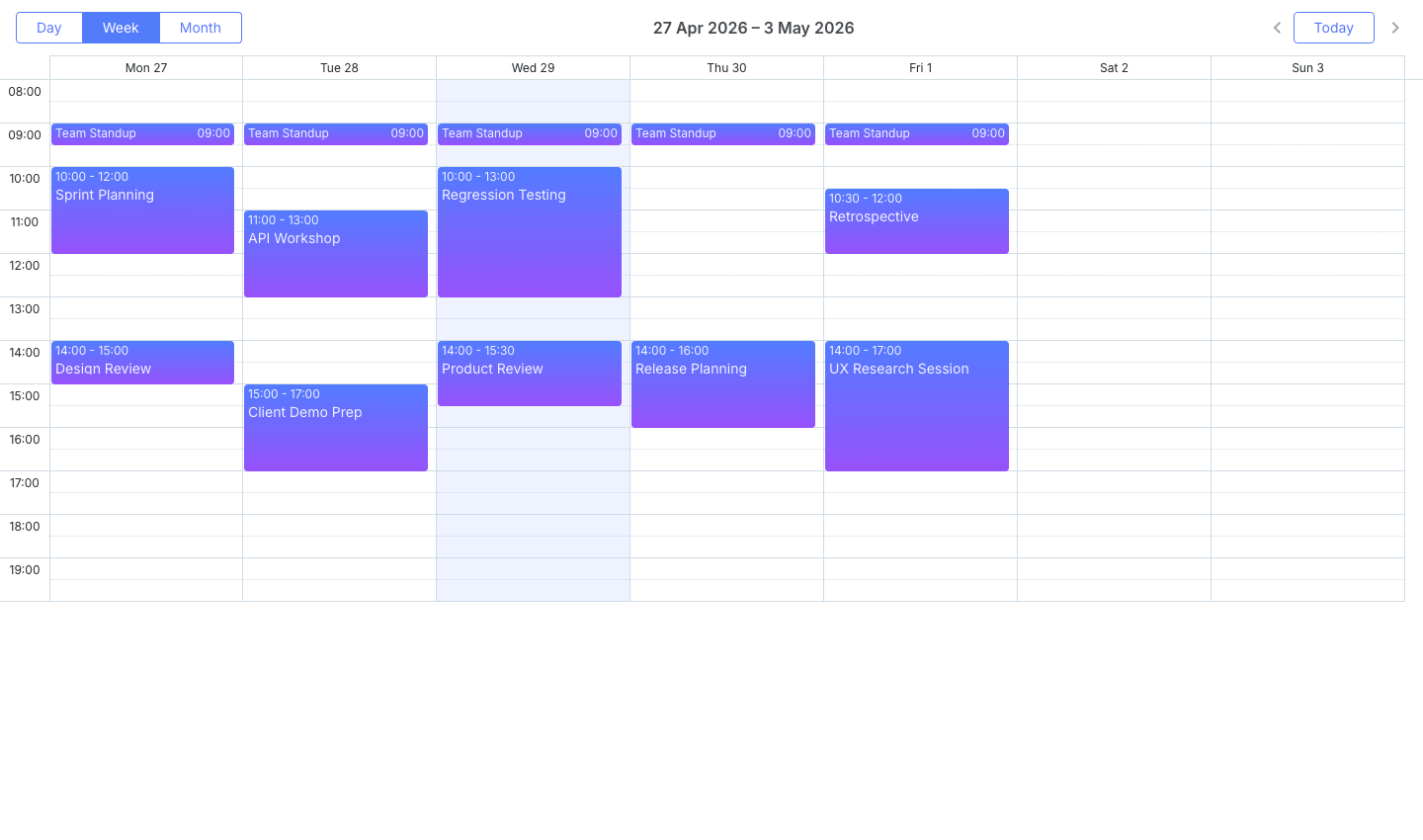
DHTMLX Scheduler setup for timeline rendering
Install DHTMLX Scheduler from npm:
npm install dhtmlx-scheduler
The example below uses the timeline view, which is available in the PRO edition. It sets up 30 resources and 900 events distributed across 28 days:
import 'dhtmlx-scheduler/codebase/dhtmlxscheduler_material.css';
import scheduler from 'dhtmlx-scheduler';

const resources = Array.from({ length : 30 }, (_, i) => ({ key : String(i + 1), label : `Resource ${i + 1}` }));
const events    = Array.from({ length : 900 }, (_, i) => ({
    id         : i + 1,
    text       : `Event ${i + 1}`,
    start_date : `2026-01-${String((Math.floor(i / 30) % 28) + 1).padStart(2, '0')} 09:00`,
    end_date   : `2026-01-${String((Math.floor(i / 30) % 28) + 1).padStart(2, '0')} 10:00`,
    section_id : String((i % 30) + 1)
}));

scheduler.config.xml_date = '%Y-%m-%d %H:%i';
scheduler.createTimelineView({
    name       : 'timeline',
    x_unit     : 'day',
    x_date     : '%j',
    x_step     : 1,
    x_size     : 28,
    y_unit     : resources,
    y_property : 'section_id',
    render     : 'bar'
});
scheduler.init(document.getElementById('container'), new Date(2026, 0, 1), 'timeline');
scheduler.parse(events);
DHTMLX Scheduler relies on row virtualization
The PRO edition includes smart rendering, which limits the DOM to only the rows currently visible in the viewport. The Standard edition does not include virtual scrolling, so it shows performance degradation at lower event and resource counts.
For moderate dataset sizes, meaning a few hundred events across a few dozen resources, the Standard edition is adequate. For larger datasets, smart rendering in the PRO edition is the primary mechanism for keeping the DOM manageable.
DHTMLX Scheduler uses row virtualization for large timelines, while Bryntum Scheduler virtualizes both rows and columns to keep larger DOM schedules responsive.
DHTMLX Scheduler does not provide a built-in lazy loading data manager comparable to the Bryntum CrudManager. Remote data loading requires custom implementation.
DHTMLX Scheduler pricing separates GPL and PRO use
DHTMLX Scheduler Standard is free for GPL-compatible open-source projects. Paid PRO licenses start with the Individual tier at $599, and DHTMLX lists Commercial, Enterprise, and Ultimate tiers for larger teams.
DHTMLX Scheduler prioritizes timeline features over lazy loading
DHTMLX Scheduler has a few notable strengths.
- Standard edition is available at no cost for open-source use.
- The timeline view in PRO covers most multi-resource scheduling requirements.
- Smart rendering in PRO keeps visible rows bounded in the DOM.
DHTMLX Scheduler lacks Bryntum-style lazy loading tools
Three limitations matter before committing to DHTMLX Scheduler.
- The timeline view, which is the most relevant view for resource scheduling, requires the PRO edition.
- The Standard edition has no virtual scrolling and degrades at larger dataset sizes.
- No built-in lazy loading manager for remote data.
DayPilot Scheduler
DayPilot Scheduler comes in a free Lite edition and a commercial Pro edition. The Lite edition handles modest event volumes well. For large resource lists and event counts, the Pro edition introduces virtual scrolling and on-demand row loading.
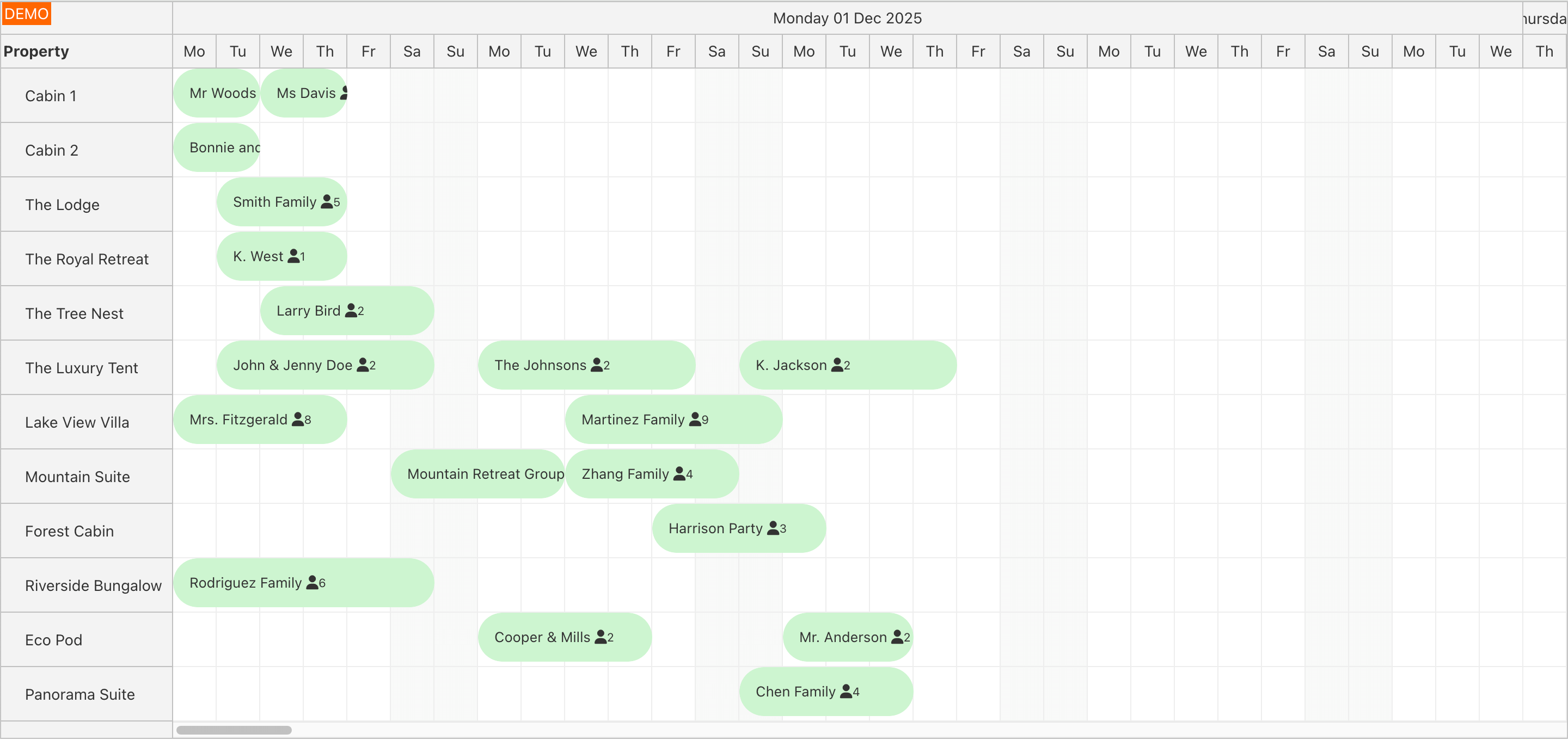
DayPilot Lite setup for scheduler prototyping
Install the Lite edition from npm:
npm install @daypilot/daypilot-lite-javascript
The example below creates a scheduler with 50 resources and 500 events. The Lite edition has a ceiling of a few hundred events before paint lag becomes noticeable during scrolling.
import { DayPilot } from '@daypilot/daypilot-lite-javascript';

const resources = Array.from({ length : 50 }, (_, i) => ({ name : `Resource ${i + 1}`, id : `R${i + 1}` }));
const events    = Array.from({ length : 500 }, (_, i) => ({
    id       : i + 1,
    text     : `Event ${i + 1}`,
    start    : `2026-01-${String((Math.floor(i / 50) % 28) + 1).padStart(2, '0')}T09:00:00`,
    end      : `2026-01-${String((Math.floor(i / 50) % 28) + 1).padStart(2, '0')}T10:00:00`,
    resource : `R${(i % 50) + 1}`
}));

const scheduler = new DayPilot.Scheduler('container', { startDate : '2026-01-01', days : 28, scale : 'Day', resources, events });
scheduler.init();
DayPilot Scheduler Lite covers smaller workflows
The Lite edition renders all events in the DOM without virtual scrolling. This works acceptably for small datasets but creates paint and layout overhead as event counts grow.
The Pro edition adds virtualScrolling: true, which removes rows outside the viewport from the DOM in the same pattern used by Bryntum and DHTMLX PRO. It also supports on-demand row loading, meaning resources and their events can be fetched from the server as the user scrolls rather than all at once on initial load. For large remote datasets where row count is high, this combination significantly reduces both initial load time and ongoing DOM overhead.
DayPilot Pro helps with row loading, but Bryntum Scheduler combines virtual scrolling with a richer scheduling data layer through CrudManager.
DayPilot Scheduler moves virtual scrolling into paid Pro tiers
DayPilot Lite is free under the Apache License 2.0. DayPilot Pro for JavaScript starts at $649 for the Web Mini license, with larger Web Team, Web Office, SaaS, and OEM tiers available.
DayPilot Scheduler Pro focuses on row loading
DayPilot Scheduler has three notable strengths.
- Free Lite edition is functional for smaller datasets and prototyping.
- Pro adds virtual scrolling and on-demand row loading, addressing the main DOM bottlenecks for large resource lists.
- Angular, React, and Vue integrations are available.
DayPilot Scheduler Lite slows down beyond smaller datasets
Three limitations apply when evaluating DayPilot Scheduler for large datasets.
- Virtual scrolling requires the paid Pro edition.
- The Lite edition degrades noticeably beyond a few hundred events.
- Higher DayPilot tiers add cost for teams that need source code, more developers, or SaaS distribution.
Netronic VSW SE
Netronic VSW SE targets enterprise datasets using canvas-based rendering. Rather than creating DOM elements for each event, it writes directly to a <canvas> element, which removes DOM overhead entirely. This makes it practical for schedules with tens of thousands of simultaneously visible events, such as manufacturing plans or large logistics networks.
Netronic VSW SE setup through customer portal access
VSW SE is not available on npm. Customers receive the library after purchase through the Netronic customer portal. Pricing is quote-based: contact Netronic directly for license terms.
Because no public package is available, there is no runnable code example here. The Netronic website provides integration documentation after purchase.
Netronic VSW SE uses canvas for extreme event density
The canvas rendering model is the defining performance characteristic. Since events are pixels on a canvas rather than DOM nodes, the browser does not need to recalculate layout or dispatch events through a DOM tree for each event. The practical consequence is that VSW SE can render and animate tens of thousands of events at stable frame rates that DOM-based schedulers cannot match at the same scale.
Because it renders to canvas, VSW SE is framework-agnostic: it embeds wherever a <canvas> element can be placed, including React, Angular, Vue, and plain JavaScript projects. The tradeoff is accessibility. Screen readers cannot access canvas content without additional custom implementation, which adds work for teams with accessibility requirements.
Netronic VSW SE can push beyond DOM limits with canvas rendering, while Bryntum Scheduler keeps the schedule in the DOM for teams that still need framework flexibility and accessibility work.
Netronic VSW SE pricing requires a sales quote
Pricing is quote-based. Contact Netronic directly for a license quote.
Netronic VSW SE avoids DOM rendering overhead
Netronic VSW SE suits specific high-density use cases.
- Canvas rendering handles tens of thousands of simultaneously visible events without DOM overhead.
- Framework-agnostic due to the canvas embedding model.
- Suitable for manufacturing, logistics, and other domains with extremely dense schedules.
Netronic VSW SE trades accessibility and npm access for scale
Three factors create friction in the evaluation and integration process.
- Not available on public npm. Requires purchase and customer portal access before integration.
- Canvas content requires additional work to meet accessibility requirements.
- No public pricing. Quote-based model adds friction to the evaluation process.
ScheduleJS
ScheduleJS takes an Angular-native, canvas-based approach to scheduling. Like Netronic VSW SE, it bypasses DOM rendering and paints events directly to a canvas, handling very large activity counts without frame rate degradation.
ScheduleJS setup for Angular-only canvas scheduling
ScheduleJS is not available on public npm. It is distributed through a customer portal after licensing. Because it is Angular-specific, it is not usable in React, Vue, or plain JavaScript projects.
A license key is required before mounting the component:
LicenseManager.setLicenseFromKey('your-key');
For an example of the ScheduleJS component pattern in an Angular context, see the Angular Gantt article.
ScheduleJS brings canvas scheduling to Angular applications
ScheduleJS applies the same canvas rendering approach as VSW SE. Events are drawn as pixels rather than DOM nodes, so the browser layout engine is not involved in rendering the schedule. This allows ScheduleJS to display very large activity counts in Angular applications without the scroll lag that DOM-based renderers encounter at scale.
Because it is Angular-native, ScheduleJS integrates with Angular change detection and dependency injection, making data binding align with standard Angular patterns. However, this tight coupling means it cannot be used outside Angular.
ScheduleJS shares the canvas advantage for extreme density, but Bryntum Scheduler is the broader fit when the team needs React, Vue, Angular, and plain JavaScript support.
ScheduleJS pricing requires a licensed download
Pricing is quote-based. Contact the ScheduleJS team through their website for license terms.
ScheduleJS is built for Angular-only scheduler projects
ScheduleJS offers two key advantages for Angular teams.
- Canvas rendering supports very large activity counts without DOM performance limits.
- Angular-native integration aligns with Angular architecture and tooling.
ScheduleJS locks large-dataset scheduling to Angular
Three limitations restrict when ScheduleJS is a practical choice.
- Angular-only: not available for React, Vue, or plain JavaScript.
- Not available on public npm. Requires a licensed download.
- No public pricing. Quote-based model requires direct vendor contact.
Which JavaScript scheduler should you choose for large datasets?
The table below summarizes the key characteristics of each scheduler.
| Feature | Bryntum Scheduler | DHTMLX Scheduler | DayPilot Scheduler | Netronic VSW SE | ScheduleJS |
|---|---|---|---|---|---|
| Rendering approach | DOM | DOM | DOM | Canvas | Canvas |
| Virtual scrolling | Both axes | Rows only (PRO) | Rows (Pro) | Not applicable | Not applicable |
| Multi-resource assignment | Yes | Yes (PRO) | Yes (Pro) | Yes | Yes |
| Framework support | React, Angular, Vue, plain JavaScript | Framework-agnostic | React, Angular, Vue, plain JavaScript | Framework-agnostic | Angular only |
| Free tier | Trial package | GPL open source | Lite edition | No | No |
The table below maps common use cases to the most appropriate option.
| Use case | Recommended option |
|---|---|
| Up to a few thousand events, multi-framework team | Bryntum Scheduler |
| Open source project with moderate event volume | DHTMLX Scheduler Standard |
| Medium-scale Angular application | DayPilot Pro or Bryntum Scheduler |
| Tens of thousands of simultaneously visible events | Netronic VSW SE or ScheduleJS |
For most web applications that need multi-resource scheduling with thousands of events, the DOM-based options cover the requirement. Bryntum Scheduler provides the most complete feature set in that category, with two-axis virtual scrolling, built-in data management via CrudManager, and framework wrappers that share a single codebase.
When the event count reaches tens of thousands of simultaneously visible items, as is common in manufacturing execution systems, large logistics networks, and resource-heavy project portfolios, canvas-based rendering becomes necessary. Netronic VSW SE is the more flexible option in that tier because it is framework-agnostic. ScheduleJS is appropriate for Angular-specific projects where the native integration and change detection alignment are worth the framework constraint.
For projects at the boundary between DOM and canvas requirements, profiling the actual dataset shape in the target browser is the most reliable guide. Virtual scrolling handles large total row counts well, but when a single viewport must display many thousands of events simultaneously without scrolling, canvas rendering is the appropriate tool.